
—-> Click here for the Chrome Extension <—-
—-> Click here for the Github <—-
Why build it?
Often, when I shop online, I visit several websites, either comparing options or selecting several items at once.
Usually, this means I have to keep dozens of tabs open and I HATE THAT.
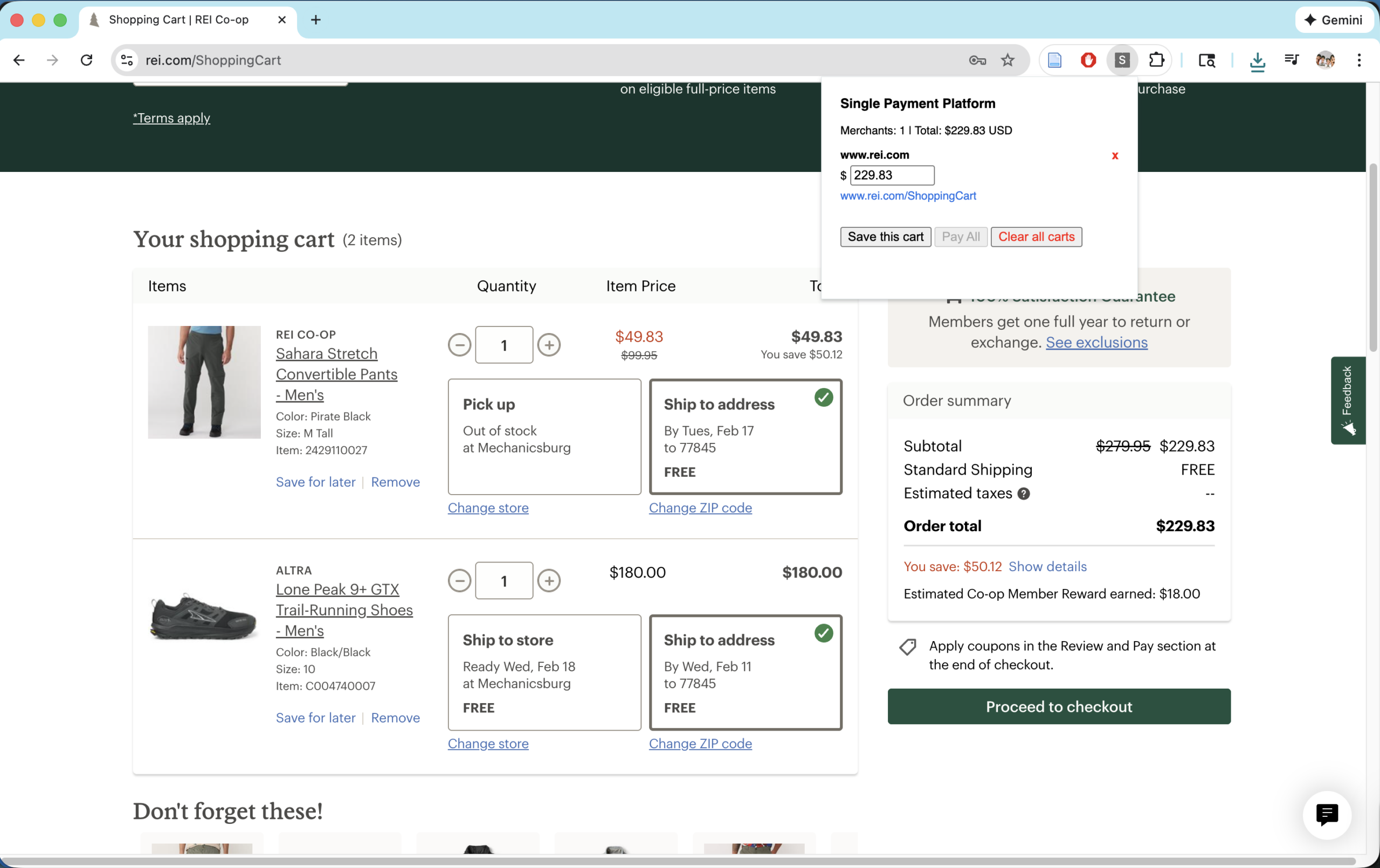
So, I decided to build a little Chrome-native platform that lets me record the URLs and prices of the items I buy on each website I visit WITHOUT having to keep each one of them open.
It also allows me to see the total price of each website added up, keeping me aware of my total spend (which is easy to lose track of when making each payment separately).
How does it work?
It’s a simple Chrome extension. Instead of trying to explain (since it’s so simple), just go add it to your browser and try it out!
—-> Click here for the Chrome Extension <—-
Timeline
- Built V1 of Payment Software, which is essentially just an online notepad for transactions -> Jan 24, 2026
- Submitted it for review on the Chrome Webstore -> Feb 7, 2026
Lessons Learned
- Originally, I thought of making a fully automated payment assistant that scraped each shopping website I visited so I didn’t have to manually enter any information.
- I spent a lot of time on this and even made a functioning scraper for Shopify websites when I realized two things:
- 1. Since there are an infinite number of ways to build an online shop, there is really no “programmatically deterministic way” to scrape each website simply
- 2. Even if there was a way, the most popular shopping sites on the web (e.g., Amazon) make it almost impossible to scrape their sites and thus make it essentially futile to try and automate it at all (since the best you can do is on B-Tier sites).
- I was disappointed by these realizations, but I still figured that a human-in-the-loop interface could be extremely valuable if it could at least make some method or process easier.
- In my opinion, it makes the method of tracking your spending on several websites in a single shopping experience easier, even if you still have to manually press “Save cart” or type in the price.
- For the future, even if the goal is to make full automation, I won’t shy away from manual interfaces as long as it makes something easier and is a stepping stone toward the final goal.
- I spent a lot of time on this and even made a functioning scraper for Shopify websites when I realized two things:
- I was incredibly astounded by how easy it was to make a Chrome extension.
- Though my timeline above makes it seem like it took a few weeks to build it, it really only took one day to build with ChatGPT and then a few weeks until I remembered to publish it after coming back from some travel.
- I compare this to my only other time developing a Chrome extension before AI chatbots in 2022, when I spent almost 4 MONTHS making an extension that popped up with an ad that “You could use LUX Rewards Here!” on a given website if it was in our database.
- Though it seems relatively basic now, it was the hardest technical problem I’d ever worked on up to that time.
- I bet that if I were to make the whole thing again with what I know now and an AI coding assistant, I could do everything in 2 weeks.
- Not really a lesson to be gained, but just a reflection on the incredible effects on productivity that AI has had.